Client: Self-initiated productCategory: ProductPlatform: Web, responsiveFigure: No. 03
COI app
Certificates of insurance, tracked
01. The short version
Before a subcontractor can work a job, the general contractor needs their certificate of insurance on file, current, and adequate for that project. In most offices one person keeps this in a spreadsheet: pulling PDFs out of email, typing in policy numbers and dates, and chasing the sub whose coverage lapsed last week.
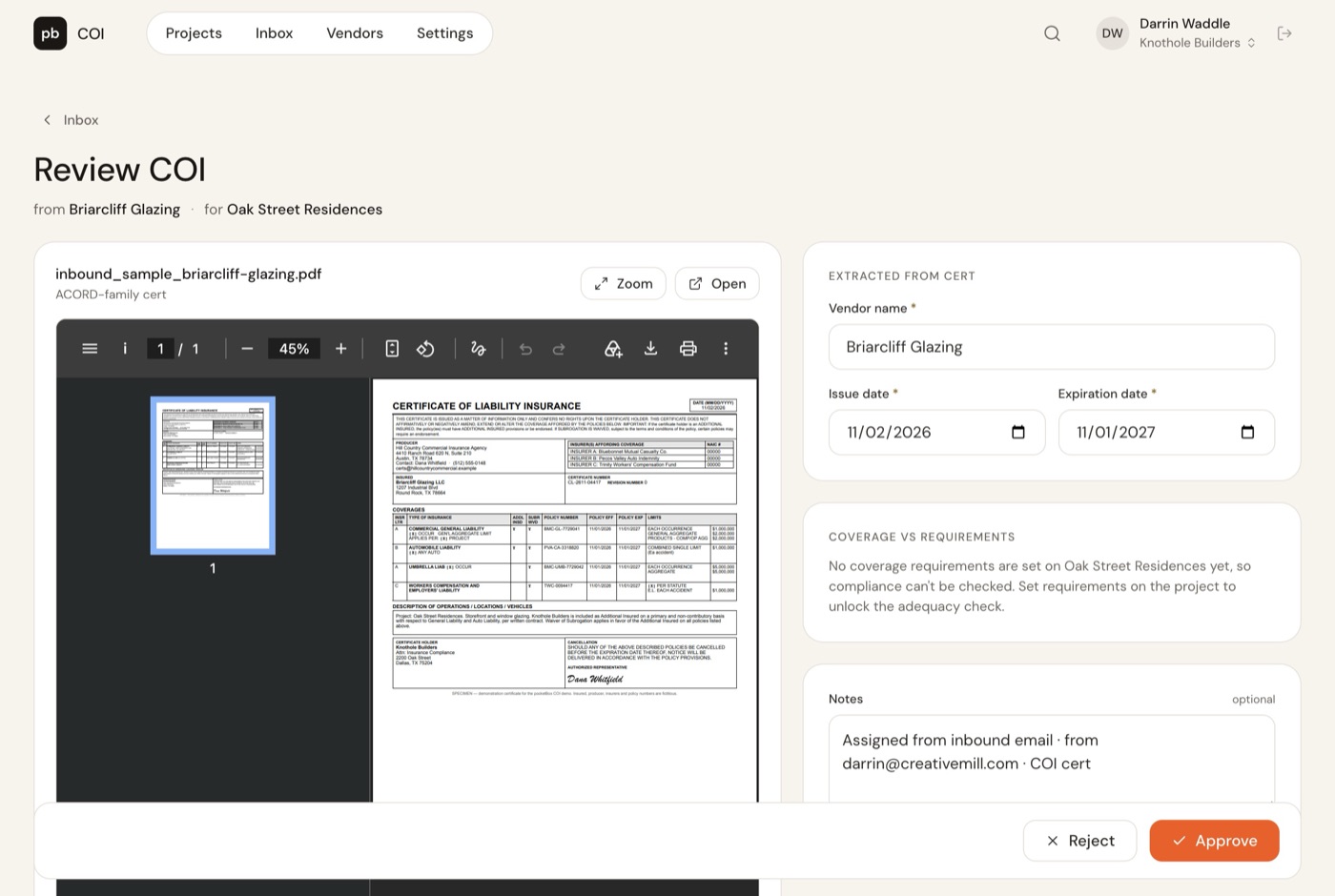
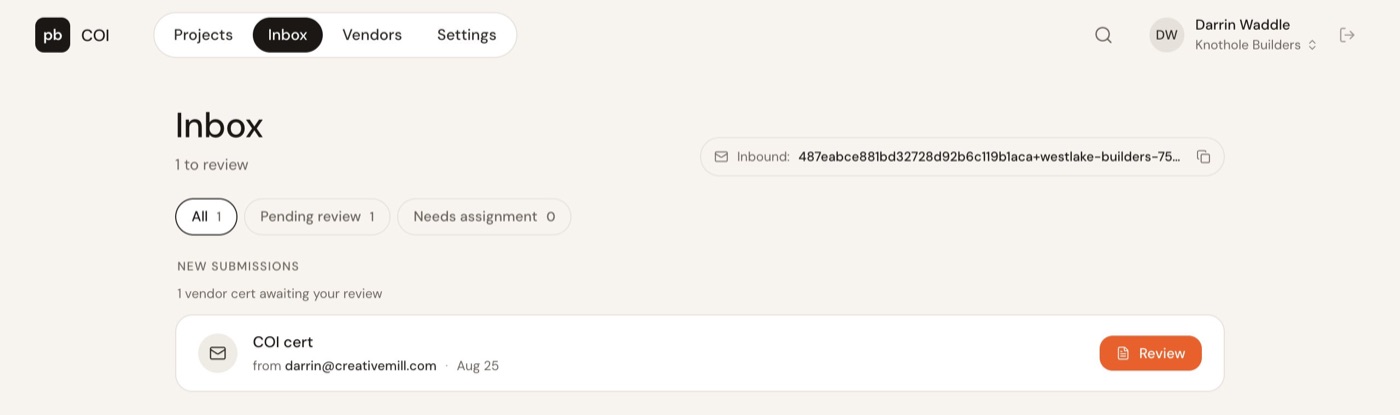
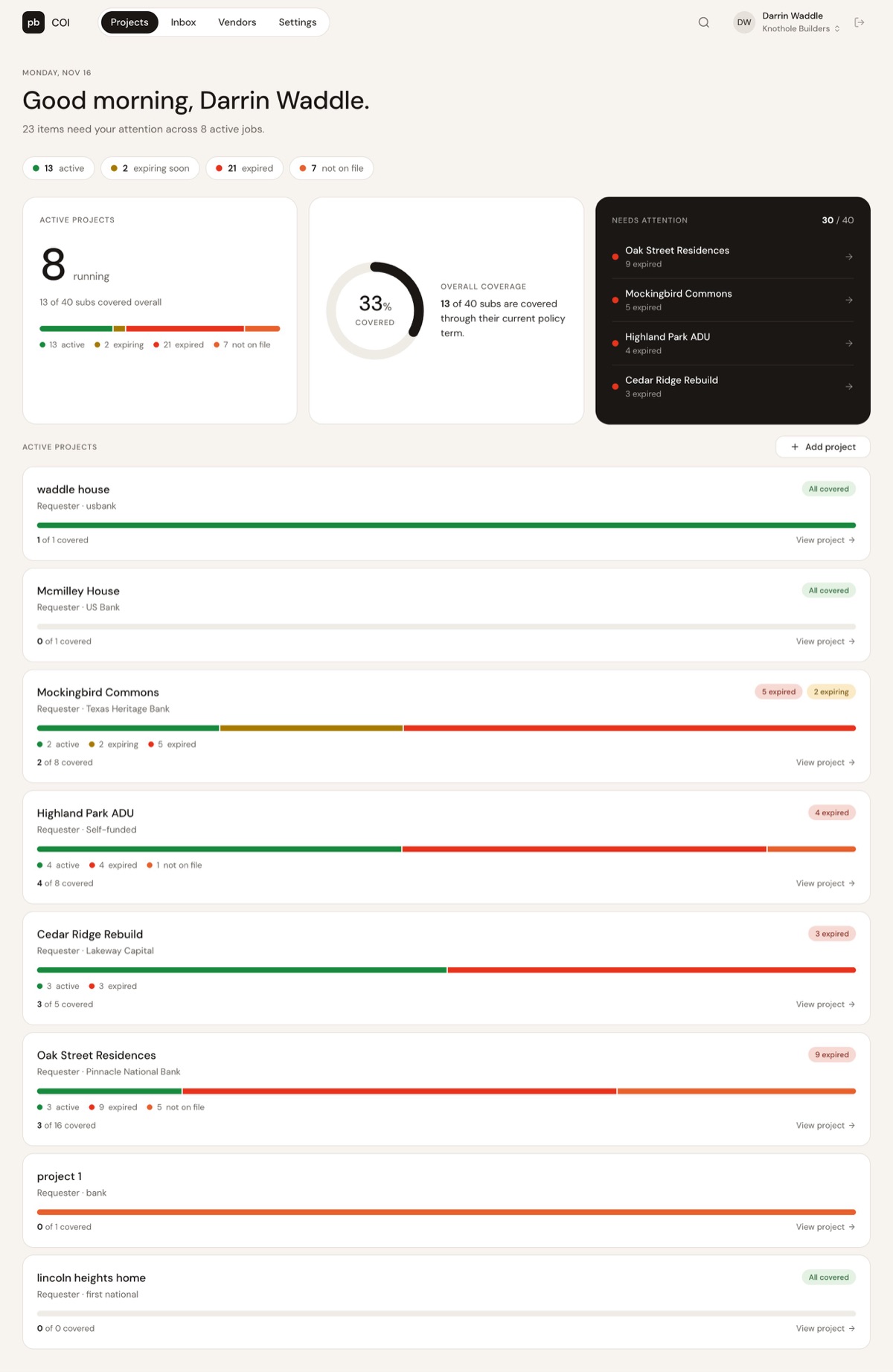
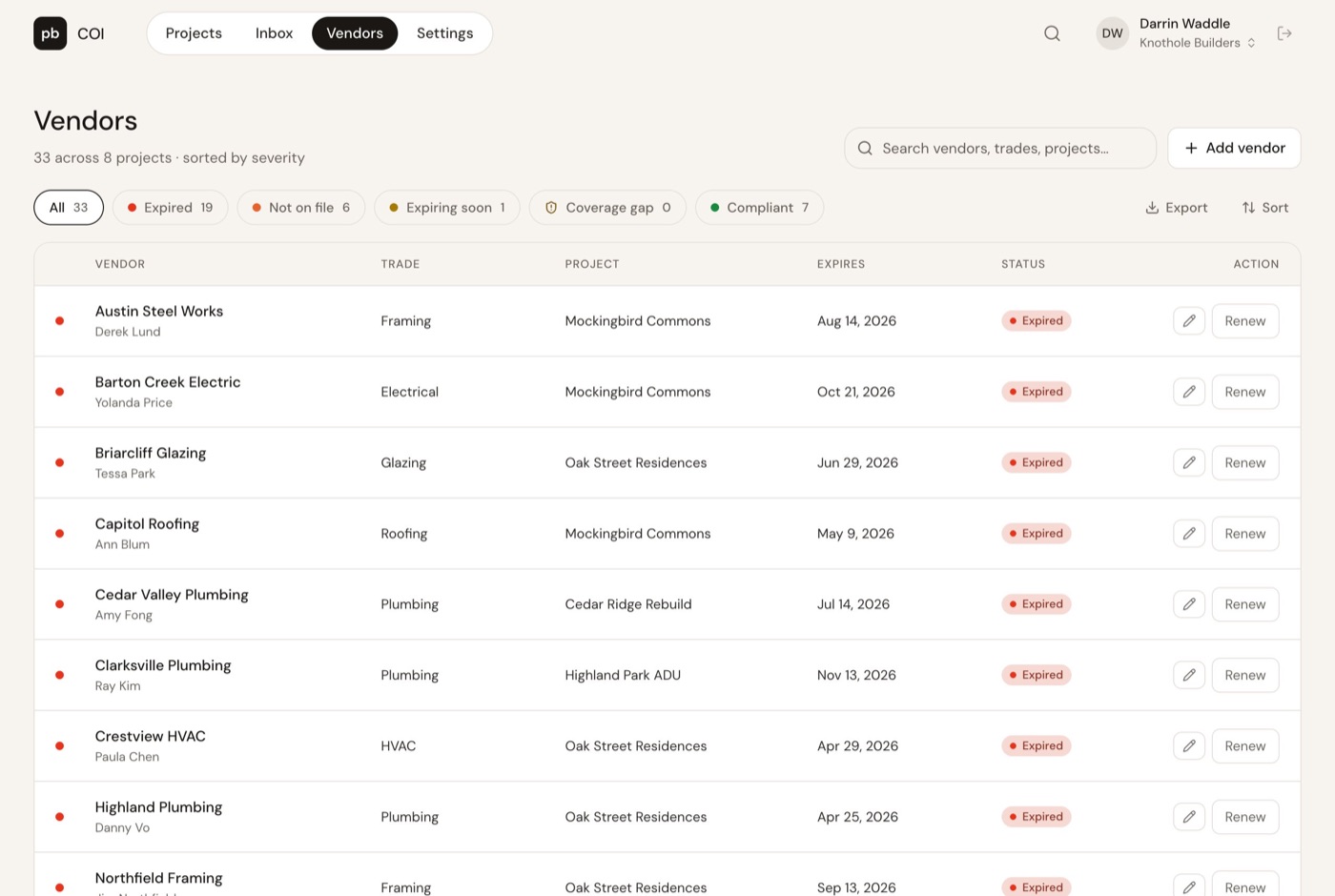
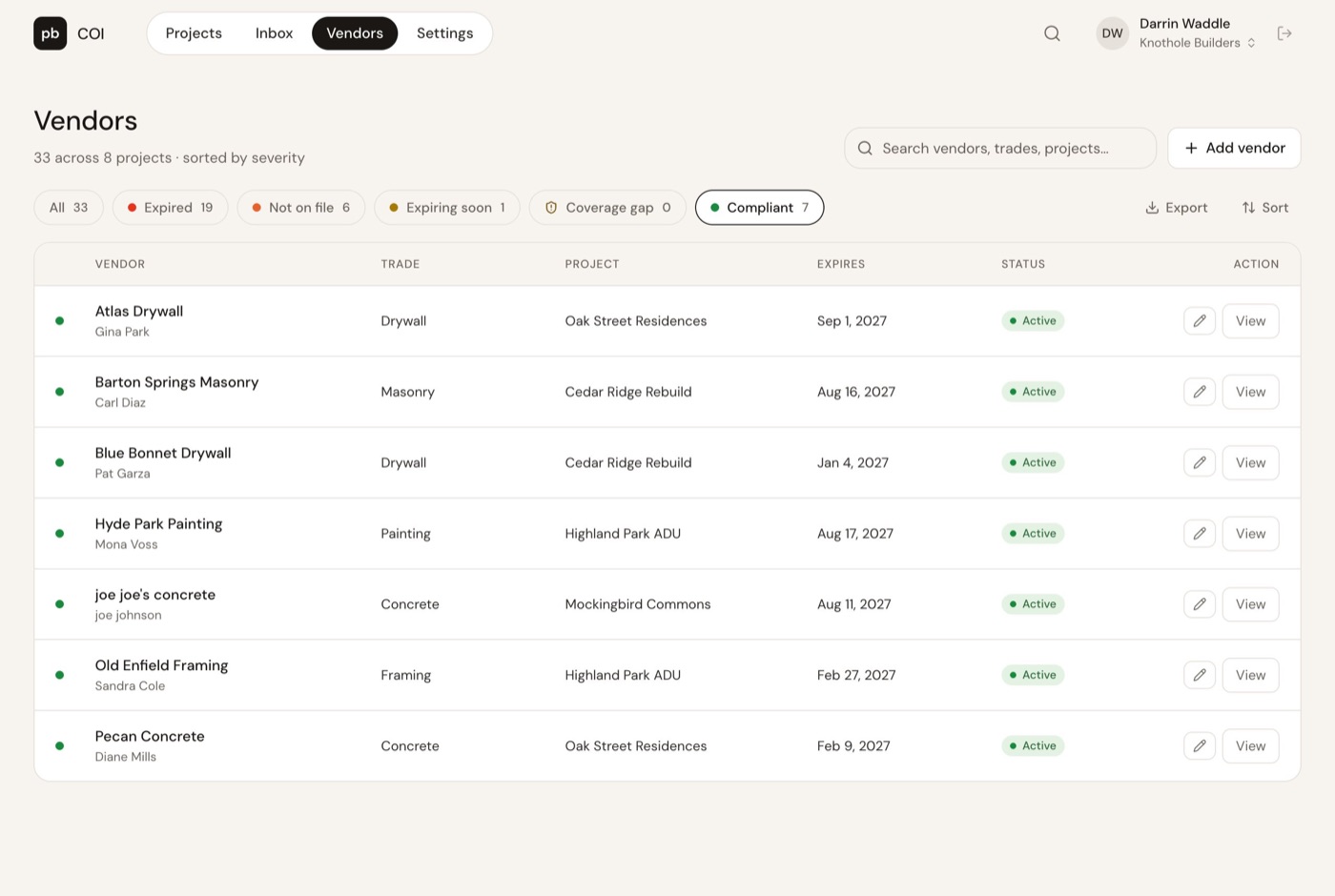
The COI app replaces the spreadsheet. Certificates arrive by email, Claude reads each one into a form, a person approves it, and every project shows who is covered, who is expiring, and who is missing. I designed and built it end to end.
02. How it went
The problem
Tracking certificates by hand eats hours every week, and a miss is expensive: an uninsured sub on the site. The person doing it needs two answers fast. Is this coverage current, and is it enough for this project? A spreadsheet answers neither without manual checking.
My role
Product design and build, end to end, with AI: research, UX, UI, the data model, the backend and the integrations. React and TypeScript on Supabase, with Postmark for inbound email, Claude for reading certificates and Stripe for billing.
The key decision
AI fills the form; a person signs off. A certificate of insurance is a liability document, so extraction never approves anything on any path. Claude reads the PDF when a reviewer opens it, not when the email lands, which keeps intake fast and puts the AI step where a person is already watching. The model saves the typing. The human owns the decision.
Outcome
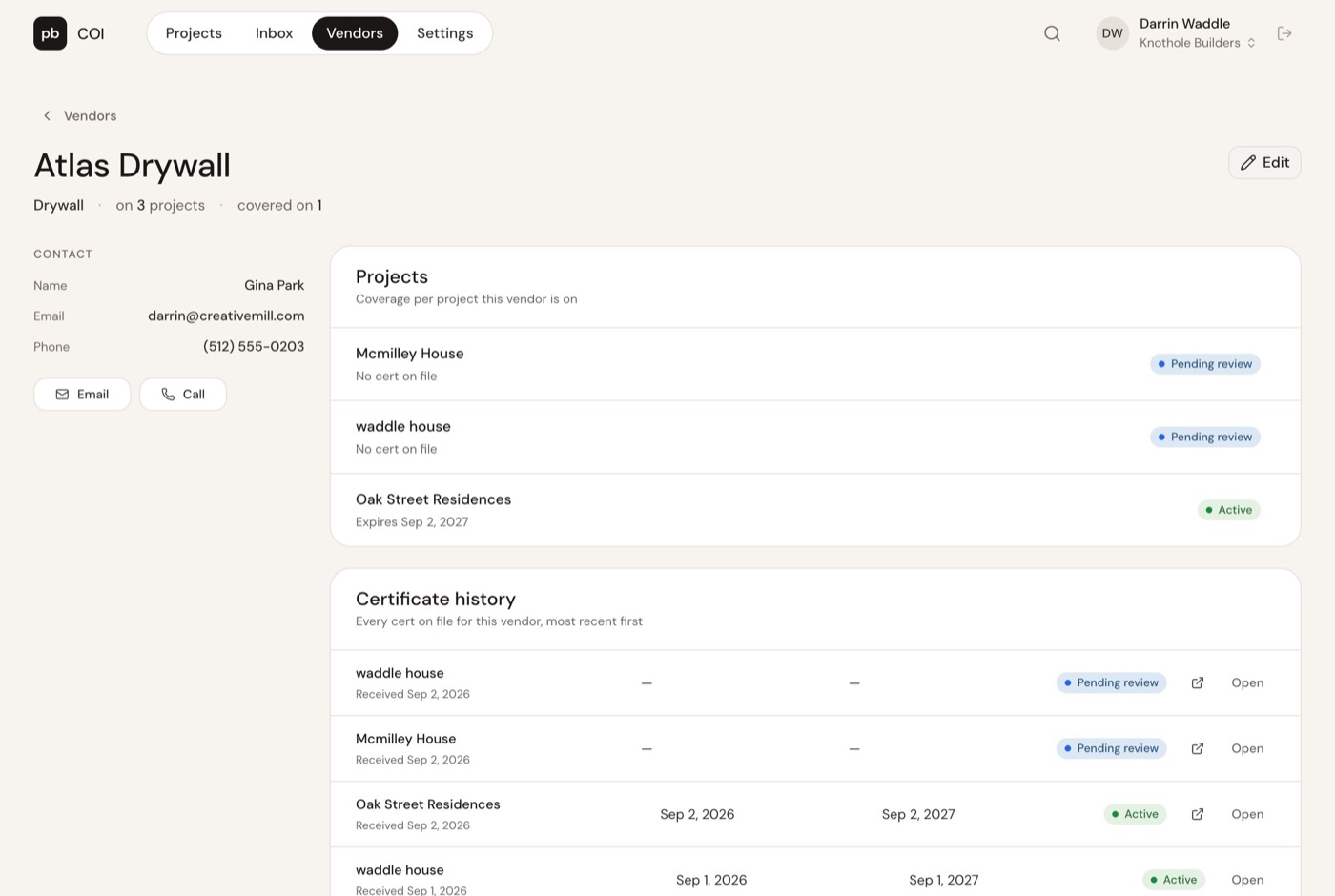
A working multi-company product: one inbound address per company, AI-read certificates with human approval, separate checks for current and adequate coverage, per-project tracking, one-time upload links for subs, team invites and subscription billing. It is in active development, with no client numbers to report yet.
03. Breakdown
Palette
Sampled from the app screens. Approximate values.
#F7F4F0
RGB 247 244 240
#1A1714
RGB 26 23 20
#178A3D
RGB 23 138 61
#A67900
RGB 166 121 0
#E8331C
RGB 232 51 28
#E8612C
RGB 232 97 44
#6B645D
RGB 107 100 93
A certificate's path
- Emailed in
- Read by AI
- Approved by a person
- Filed to every project
- Checked: current
- Checked: adequate